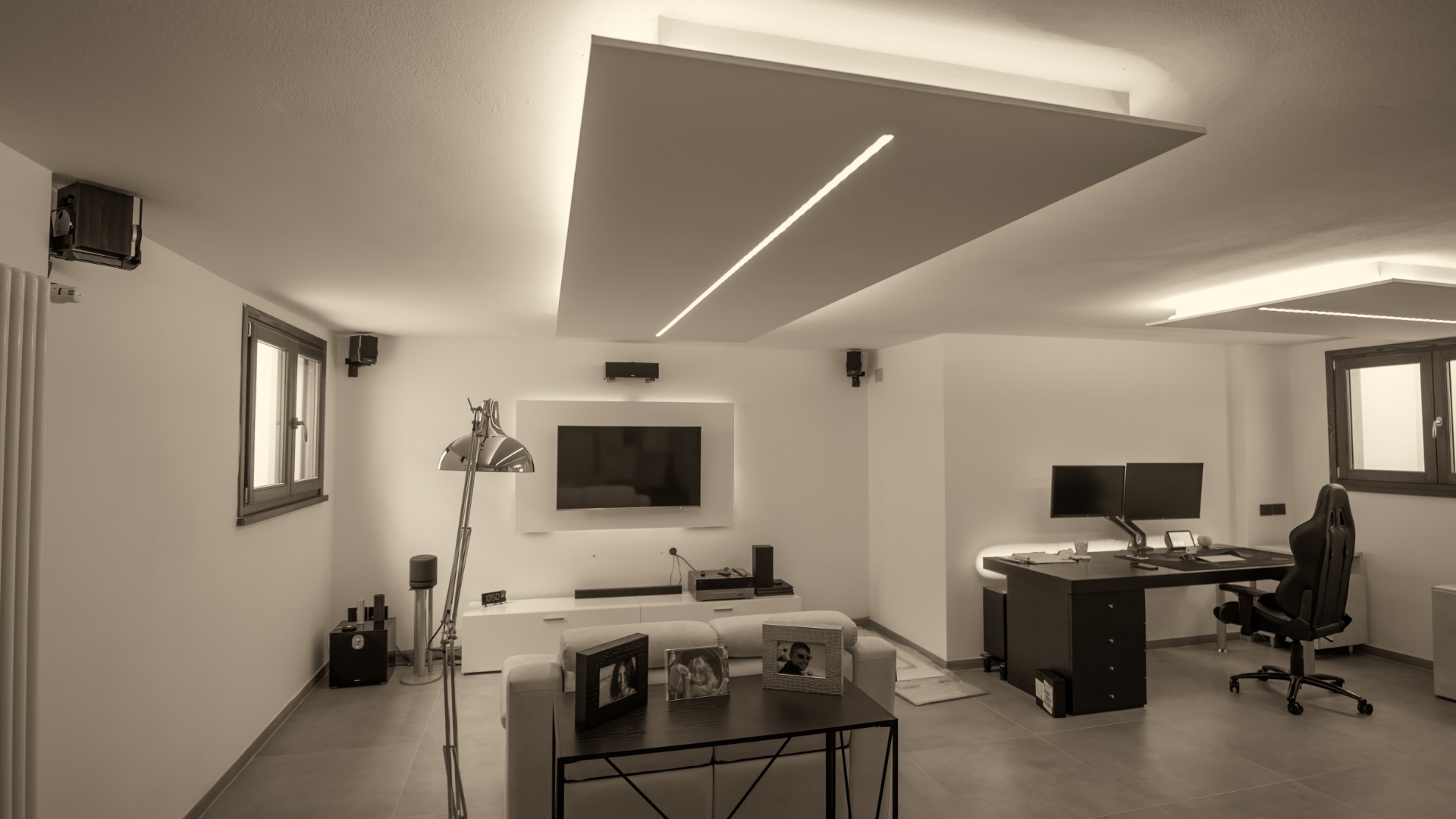
A basement can feel like the perfect place for a gaming setup. You get more privacy, fewer interruptions, room for larger desks, and enough distance from the rest of the house to turn up the volume without annoying everyone upstairs. With a few smart choices, you can create a space that feels comfortable for marathon sessions, multiplayer nights, streaming, or casual play.
Basements also come with challenges that bedrooms and upstairs offices often avoid. Moisture, temperature swings, poor ventilation, limited lighting, and electrical limitations can all affect your comfort and your equipment. Before you move every console, monitor, and collectible downstairs, you should know a few things about gaming in the basement.
Check the Air
Basements often have less natural ventilation than the rest of the home. If you spend several hours gaming downstairs, the stale air can make the room feel stuffy and uncomfortable.
Start by checking how air moves through the space. Heating and cooling vents should remain open and unobstructed. A portable fan can improve circulation in rooms that feel stagnant, and a dehumidifier can help when humidity remains high.
You should also pay attention to radon. The gas can enter homes through cracks and openings around foundations, and basements often sit closest to the source. For anyone who spends a lot of time downstairs, radon is a big deal because longer periods in one room make indoor air quality worth taking seriously.
A home radon test can give you useful information about the space. If the results show elevated levels, contact a qualified radon professional to discuss ways to reduce them before you turn the basement into your main gaming area.
Control Humidity
Gaming equipment and excessive moisture don’t mix well. High humidity can cause corrosion, musty odors, condensation, and uncomfortable conditions during long sessions.
Use a hygrometer to monitor humidity rather than guessing by how the basement feels. If moisture levels regularly rise, run a dehumidifier and empty or drain it as needed.
Watch for water around windows, foundation walls, pipes, and floor edges. Don’t place a gaming desk directly against an area that has previously shown signs of leaks. Even a small amount of water can damage power strips, consoles, computers, speakers, and other electronics.
Manage the Temperature
A high-performance gaming PC can put out a surprising amount of heat. Add multiple monitors, consoles, amplifiers, and several people, and a cool basement can become uncomfortable quickly.
Give your computer enough room to release heat. Avoid pushing the tower against a wall or stuffing it into a closed cabinet. Leave open space around intake and exhaust fans so your system can move air freely.
Room temperature deserves attention, too. A fan can help in warmer months, but it won’t lower the temperature if the room keeps trapping heat. You may need to adjust your home’s cooling system or use a suitable supplemental option when the basement consistently runs hot.
Cold basements create their own problems. A small room heater may help, but keep any heat source well away from cables, furniture, electronics, and other objects that could overheat.
Plan Your Power
Modern gaming setups can draw power from a surprising number of outlets. A PC, several monitors, a console, speakers, chargers, lights, networking equipment, and streaming accessories can quickly fill every receptacle near the desk.
Avoid connecting several power strips together. That setup adds unnecessary risk and creates a mess of cables that can become difficult to manage.
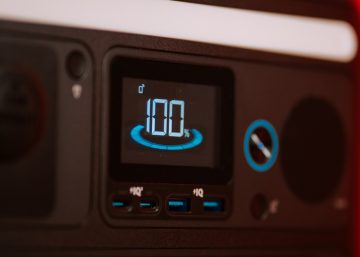
Use a quality surge protector that can handle your equipment. A battery backup can also protect a gaming PC from sudden shutdowns during brief outages and give you enough time to save your work or exit a game properly.
If the basement lacks enough outlets, talk with a licensed electrician about adding circuits or receptacles. Proper electrical work gives you a cleaner setup and reduces your dependence on extension cords.
Improve Your Internet
A basement can make Wi-Fi performance unpredictable. Thick floors, concrete walls, ductwork, appliances, and distance from the router can weaken the signal.
For competitive gaming, an Ethernet connection usually gives you the most consistent performance. Running a wired connection to the basement can reduce latency problems and prevent Wi-Fi interference from ruining a close match.
If Ethernet installation doesn’t work for your home, consider moving the router, adding a mesh Wi-Fi system, or positioning an access point closer to the gaming room. Test the connection from the exact place where you plan to sit before you finish arranging furniture.
Fix the Lighting
A dark room can create an impressive gaming atmosphere, but total darkness may leave your eyes feeling tired after several hours. Bright overhead lights can create glare on monitors and make the room feel harsh.
Aim for balanced lighting. Soft lamps, bias lighting behind the monitor, or adjustable fixtures can illuminate the room without reflecting directly off the screen.
Position your monitor away from bare bulbs and bright windows. If your basement has windows, blinds or curtains can help you control daylight during afternoon sessions.
Decorative RGB lighting can add personality, but don’t let appearance replace practical lighting. You should still be able to see your keyboard, cables, drinks, and surrounding floor clearly.
Protect Your Equipment
Basement floors can become risky places for expensive electronics. Even a basement that normally stays dry can experience plumbing leaks, appliance failures, or unexpected water intrusion.
Whenever possible, keep computers, consoles, power strips, and other electronics off the floor. Place your PC tower on a sturdy stand, shelf, or desktop rather than directly on carpet or concrete.
Organize cables so they don’t cross walking paths. Cable trays and reusable ties can keep cords away from feet, rolling chairs, pets, and spilled drinks.
Think about storage as well. Shelving can protect controllers, games, headsets, and collectibles while keeping the room less cluttered.
Get the Ergonomics Right
Gaming for several hours in an uncomfortable position can leave your neck, shoulders, wrists, and back feeling rough. A basement gaming room gives you enough freedom to build the desk around your body instead of squeezing everything into a small bedroom corner.
Position your main monitor near eye level so you don’t constantly tilt your head downward. Keep your keyboard and mouse at a height that lets your shoulders relax, and your wrists stay comfortable.
Your chair should support your back and allow your feet to rest firmly on the floor or on a footrest. Don’t choose a chair based only on how aggressive or futuristic it looks. Comfort should win.
Take short breaks during long sessions. Stand up, move around, refill your water, and give your eyes a few minutes away from the screen.
Think About Sound
A basement can help contain gaming noise, but sound still travels through ceilings, vents, doors, and stairways. If other people live in the house, headphones can prevent late-night gaming sessions from becoming a source of conflict.
Soft surfaces can also reduce echo. Rugs, curtains, upholstered furniture, and acoustic panels can make voice chat and streaming audio sound cleaner without requiring a major renovation.
Keep speaker volume reasonable, especially if your gaming room sits below a bedroom or living space. Deep bass can travel through floors more easily than you might expect.
Build a Space You’ll Enjoy
A basement gaming room can become one of the best spaces in your home when you understand the pros and cons. Good airflow, controlled humidity, reliable power, strong internet, comfortable furniture, and thoughtful lighting all contribute to a setup that works well for long sessions.
Pay attention to the characteristics that make basements different from other rooms. Check the air, protect your electronics from moisture, manage heat, and keep equipment away from potential water problems.
Once you handle the practical details, you can focus on the fun parts. Add the displays, lighting, artwork, storage, and accessories that fit your style. A well-planned basement setup gives you a comfortable place to play without letting hidden problems interrupt the experience.