A SATA cable looks simple, but the wrong choice can create a cramped build, a loose connection, or an annoying troubleshooting session. You don’t need the most expensive option. You need a cable that fits your hardware, reaches cleanly, and stays connected during everyday use. Continue reading to discover tips to help you choose the right SATA cable for your PC.
Identify the Cable
Start by separating SATA data cables from SATA power cables. A SATA data cable connects a storage drive to a motherboard. A SATA power cable connects the drive to the power supply.
If your power supply already includes SATA power leads, shop for a SATA data cable. Data storage systems use SATA cables to connect hard drives, 2.5-inch solid-state drives, and optical drives to compatible motherboard ports. Check the ports on your device and motherboard before you buy.
Pick the Length
Choose a cable that reaches the drive without stretching or forming a large coil. A short cable creates a cleaner path and reduces clutter around nearby components. A longer cable gives you more freedom in large cases or behind a motherboard tray.
Measure the route instead of the straight-line distance. Your cable may need to pass through grommets, around a graphics card, or behind a drive cage. Leave enough slack to remove the drive without pulling on the connector.
Choose the Angle
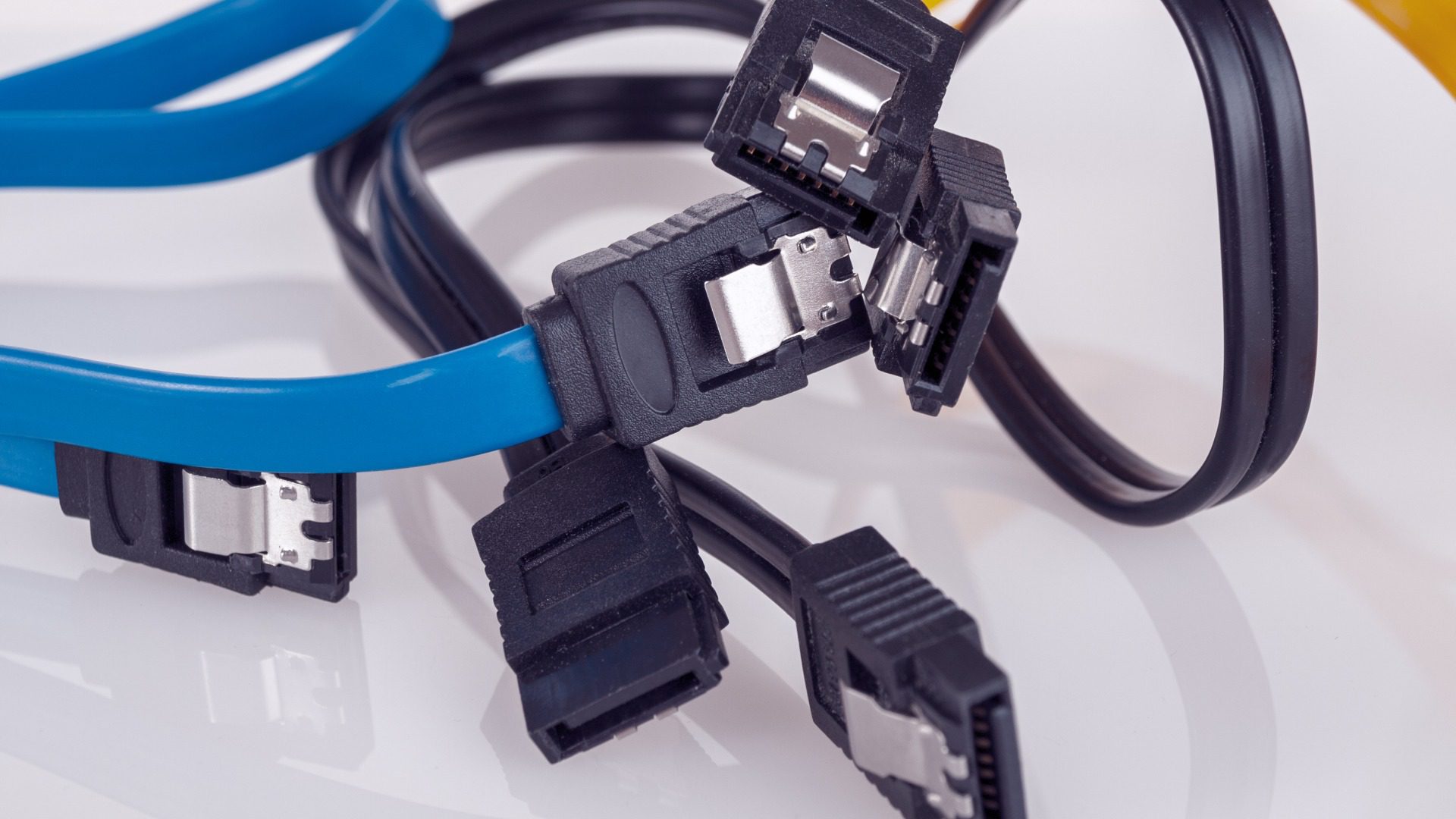
SATA data cables come with straight connectors, right-angle connectors, or one of each. Straight connectors work well when the port faces an open section of the case. Right-angle connectors help when a drive sits close to a side panel or another component.
Check the direction of the angled plug. Some right-angle connectors point upward, while others point downward. The wrong orientation can block another SATA port or press against the case.
Check the Latch
A locking latch can keep the cable firmly attached to the motherboard or drive. The small metal clip grips the SATA port and reduces the chance of an accidental disconnect.
Inspect the port area before choosing a latched cable. Motherboards with closely spaced ports can make the latch hard to reach. A nonlocking connector may work better when you need frequent access or limited finger space.
Skip Speed Hype
Don’t overpay for premium speed claims. SATA standards don’t require separate SATA II and SATA III cable designs. A standard SATA data cable can support a SATA III connection at up to 6 Gbps, while the drive and controller set the practical performance limit.
Focus on snug connectors, flexible insulation, and a sensible length. Avoid extremely thin cables with loose plugs, especially in systems that move often.
Fit the Build
Think about cable management, case size, and future upgrades. Slim cables fit tight spaces more easily. Cables with braided sleeves may look cleaner in a showcase build, but thicker sleeving can make routing harder.
Color can also help with organization. Use different colors to identify boot drives, backup drives, or optical drives at a glance.
Choose With Confidence
The right SATA cable for your PC will fit the port, follow a clean route, and hold its connection. Choose the proper length, connector angle, and latch style for your case. Skip exaggerated marketing and pay attention to build quality. A thoughtful choice keeps installation simple and makes future maintenance far less frustrating.